What Makes a Good Business Website in Malaysia? Key Elements You Need

Your website is often the first impression potential customers have of your business. In Malaysia, where 84% of consumers research online before buying, a poorly designed site costs you sales.
This guide breaks down the concrete elements that separate websites that work from those that don't.
1. Mobile-First Design & Responsiveness
78% of Malaysian internet users access websites via mobile devices. If your site doesn't work on phones, you've lost most of your audience.
- Responsive layout that adapts to all screen sizes (phones, tablets, desktops)
- Touch-friendly buttons (minimum 48px × 48px)
- Legible text without pinch-to-zoom
- Mobile navigation must be simple and collapsible
- Test on actual devices, not just browser tools
- Fast mobile load time under 2 seconds
A mobile-optimised site can increase conversions by up to 25% compared to poorly responsive designs.
2. Fast Loading Speed & Performance
Speed matters. 53% of users abandon websites that take longer than 3 seconds to load.
- Compress images (JPG/WebP format reduces file size by 30–40%)
- Use a Content Delivery Network (CDN) to serve content faster across Malaysia
- Enable caching (browser and server-side)
- Minimise CSS and JavaScript code
- Remove unnecessary plugins and scripts
- Aim for page load time under 2.5 seconds
Test your speed on Google PageSpeed Insights or GTmetrix. Typical web hosting with optimisation costs RM50–150 per month and improves speed significantly.

3. Clear Navigation & User Experience (UX)
Visitors should find what they need in 2 clicks. Poor navigation drives bounce rates above 60%.
- Create a logical menu structure (max 5–7 main items)
- Use descriptive menu labels (e.g., "Services" not "Offerings")
- Include a prominent search bar
- Add breadcrumb navigation for multi-page sites
- Place call-to-action buttons above the fold
- Use consistent fonts and colour scheme throughout
- Ensure footer has key links and contact info
Pages should load with a clear purpose—users shouldn't wonder where to look first.
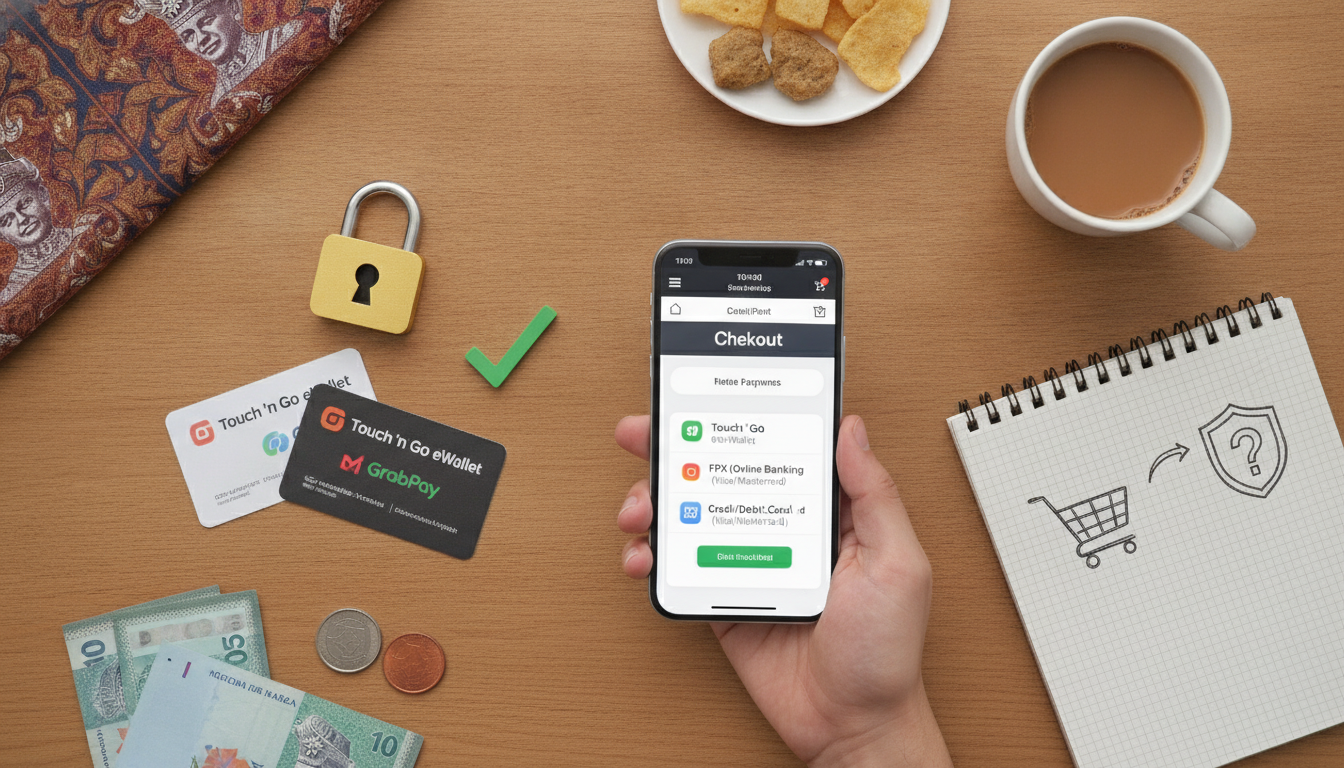
4. Local Payment Options & Trust Signals
Malaysian customers expect payment methods they know and trust.
Payment Options:
- FPX (Fungible Payment Exchange) — most popular, instant bank transfers
- Credit and debit cards (Visa, Mastercard, American Express)
- E-wallets: GCash, Touch 'n Go, Boost, Grab Pay
- Bank transfers for B2B
- Cash on delivery (COD) for e-commerce
Trust Signals:
- Display customer testimonials and reviews (minimum 10–20 visible)
- Show security badges (SSL certificate, Trusted Shop, or local certifications)
- Include clear privacy policy and terms of service
- Display business registration number and contact details
- Show how many customers you've served (e.g., "Trusted by 2,000+ businesses")
- Use professional photos, not stock images alone
Sites with at least 3 trust signals see 30% more completed purchases.
5. SEO Fundamentals for Local Visibility
70% of online experiences begin with a search. Without basic SEO, you're invisible.
- Keyword research: Target local + keyword combos (e.g., "plumbing services Kuala Lumpur")
- Meta titles & descriptions: Write unique ones for each page
- H1 headings: One clear H1 per page
- Internal linking: Link related pages together
- Image alt text: Describe every image for accessibility and SEO
- Mobile & speed: Google prioritises fast, mobile-friendly sites
- Google Business Profile: Verify and complete your profile
- Local citations: List your business on Mudah, Carousell, Malaysian directories
Basic SEO takes 3–6 months to show results but costs far less than paid ads.

6. Professional Design & Brand Consistency
Design builds trust. A dated or cluttered site screams "unprofessional."
- Choose a clean, modern template (WordPress themes, Webflow, Wix)
- Use 2–3 complementary colours max
- Pick 1–2 readable fonts (sans-serif for web: Arial, Roboto, Inter)
- Keep white space generous (not cramped)
- Use high-quality images and graphics
- Match brand colours and tone across all pages
- Test on dark mode if applicable
- Avoid auto-playing video or music
Investment: DIY builder RM50–300/month; freelance designer RM500–2,000; agency RM2,500–10,000+.
Website Quality Checklist
- Mobile-responsive design tested on 3+ devices
- Page load time under 3 seconds
- Clear navigation with max 7 menu items
- FPX and at least 2 other payment options
- At least 3 trust signals visible (reviews, SSL, registration)
- Unique meta title and description for each page
- Google Business Profile verified
- Working contact form and visible phone number
- Privacy policy and terms of service linked
- At least 10 customer testimonials or reviews
FAQ
How much does a good business website cost in Malaysia?
Costs vary widely. DIY builders (Wix, Shopify) start at RM50–300/month. Freelance designers charge RM500–2,000 for a basic site. Agencies typically charge RM2,500–10,000+ depending on complexity, e-commerce features, and ongoing support. Most small businesses spend RM100–500/month on hosting, design, and maintenance combined.
How long does it take to build and launch a website?
A basic website takes 2–4 weeks using a template builder. A custom-designed site takes 6–12 weeks. Launch includes domain registration, hosting setup, SSL certificate, and testing—allow 1–2 weeks extra. Initial SEO optimisation should begin before or during launch, not after, to maximise early rankings.
Do I need FPX if I'm selling online in Malaysia?
Yes, strongly recommended. FPX is Malaysia's fastest-growing payment method and is used by 65% of online shoppers. Offering FPX alongside credit cards and e-wallets removes friction and increases checkout completion by up to 20%. Most payment gateways (Stripe, MOLPay, Telr) support FPX integration.
How do I check if my website is mobile-friendly?
Use Google's Mobile-Friendly Test (search.google.com/test/mobile-friendly). Enter your URL and Google will flag issues. Also test manually on your smartphone and tablet. Check that buttons are clickable, text is readable without zoom, and images display correctly. Speed test using PageSpeed Insights or GTmetrix.
What's the difference between hosting and a website builder?
Hosting is the server space where your site files live (e.g., Hostinger, Bluehost, local Malaysian providers). A website builder is software you use to create the site (e.g., Wix, WordPress, Shopify). Builders often include hosting; traditional hosting requires separate builder software or hiring a developer.
Should I use WordPress or a no-code builder?
WordPress is flexible and SEO-friendly but requires more technical skill or a developer (RM100–300/month). No-code builders (Wix, Webflow) are user-friendly and include hosting, perfect for beginners. Choose WordPress if you need advanced customisation; choose a builder if you want speed and simplicity. Most Malaysian small businesses succeed with builders.
Key takeaways
- 78% of Malaysian users browse on mobile—if your site isn't mobile-responsive, you lose most visitors
- Fast load times under 3 seconds reduce bounce rates by 40% and boost SEO rankings
- FPX and local payment options are non-negotiable; they increase checkout completion by 20%+
- Trust signals (reviews, SSL, contact details) increase conversions by 30%—add at least 3
- SEO basics (local keywords, Google Business Profile, site speed) cost far less than paid ads and deliver long-term results