When to Consider a Website Redesign for Your Malaysian Business
Deciding to rebuild a website is usually made on a feeling — it looks dated, it feels slow, enquiries are down. Those are symptoms with several possible causes, and a redesign only fixes some of them.
This guide replaces the feeling with four tests you can run yourself, each based on published guidance: whether the site meets Google's stated performance targets, whether the version Google indexes actually contains your content, whether the site can be operated against W3C's accessibility criteria, and whether a rebuild would change your URLs.
The fourth test matters most, because a redesign that changes addresses without mapping them is the one that reliably costs a business its existing search visibility.
Measure before you decide
"The site feels old" is not a reason to rebuild it. A measurement is.
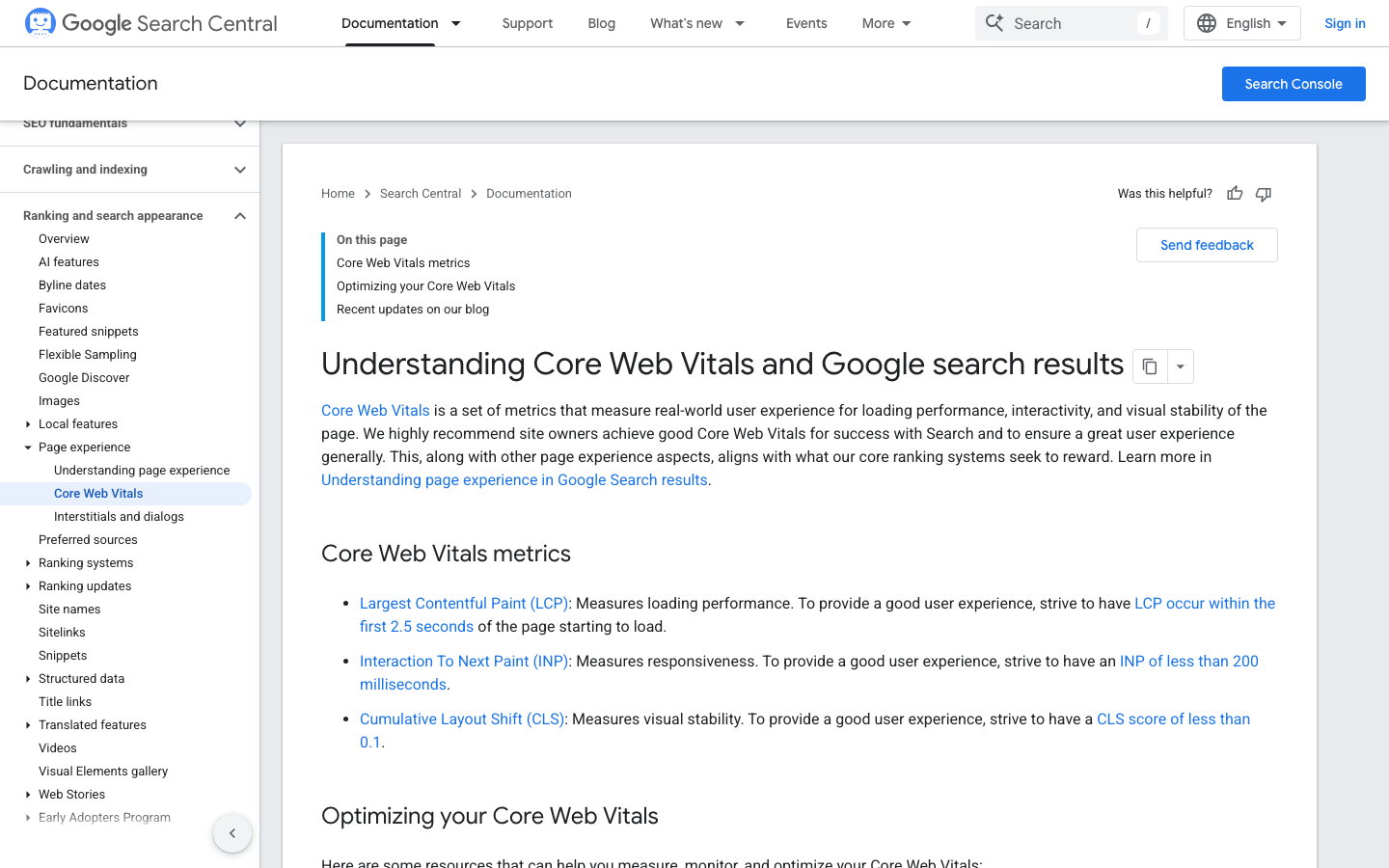
Google publishes three user-experience measures with stated good-experience targets, and they are the cheapest evidence available to a business owner. Largest Contentful Paint should occur within the first 2.5 seconds of the page starting to load. Interaction to Next Paint should be under 200 milliseconds. Cumulative Layout Shift should be under 0.1.
Run those three on the pages that matter — the homepage, your main service or product page, and the page with your contact form — on a real phone rather than an office laptop. If all three are comfortably inside the targets, whatever is wrong with the site is probably content or structure, and a visual redesign will not fix it. If they are badly outside, you have a specific, testable brief instead of a vague one.
Sources: [1]
Check what Google is actually looking at
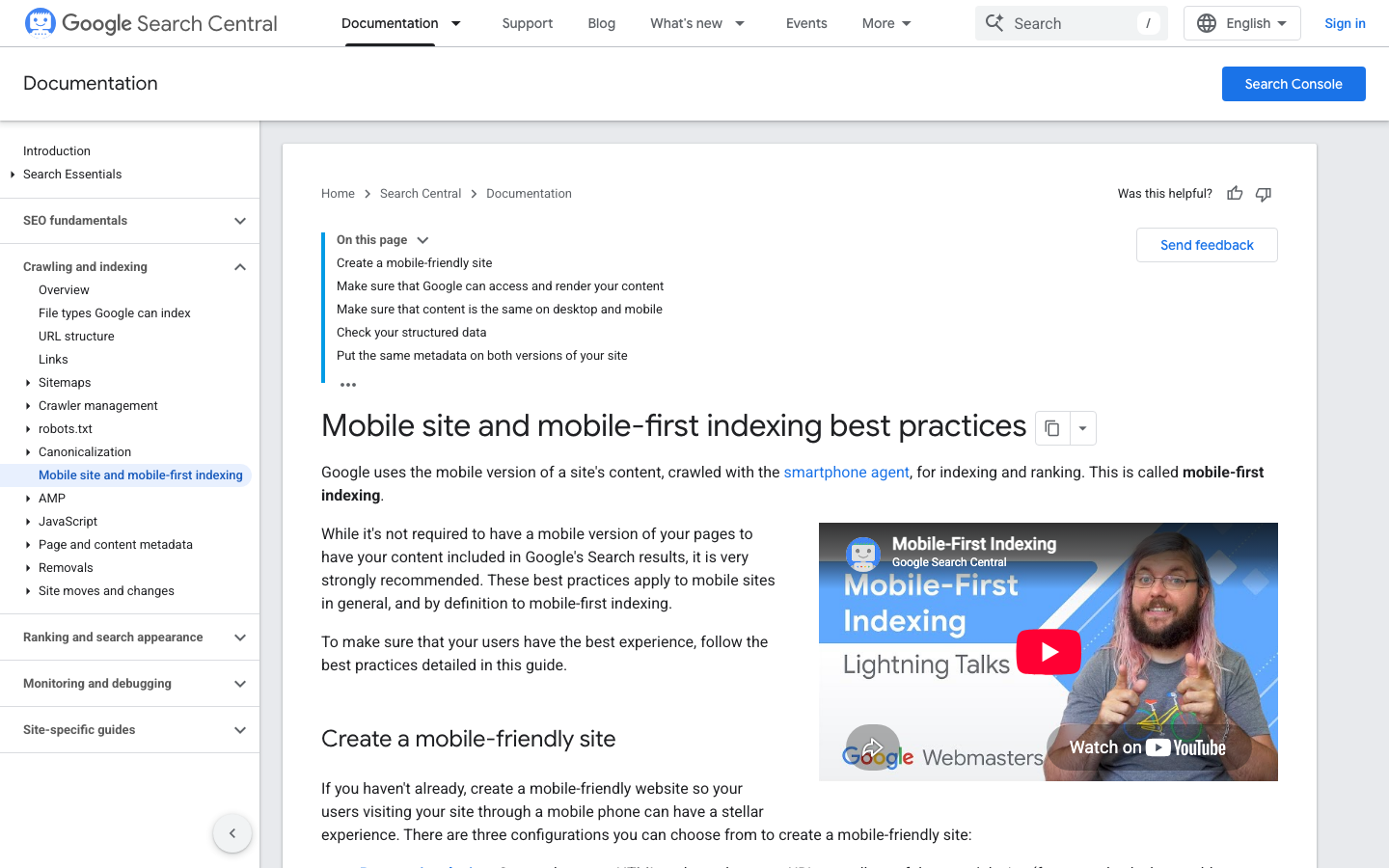
Google states that it uses the mobile version of a site's content, crawled with the smartphone agent, for indexing and ranking. That has a blunt consequence: if your mobile layout hides content that exists on desktop, the hidden version is the one being judged.
Open the site on a phone and compare it against the desktop version item by item. Is the same body text present? The same headings, images and structured data? The same metadata? Google's mobile-first guidance covers exactly these points, including making sure Google can access and render the content and keeping content and metadata consistent across both versions.
A site that is visually acceptable on a phone but materially thinner than its desktop twin is a genuine redesign trigger, and it is one you can demonstrate rather than assert.
Sources: [2]
Accessibility gaps are a redesign trigger
Some sites are not slow or thin; they are simply hard to operate. W3C publishes WCAG 2.2 under four principles — perceivable, operable, understandable and robust — and those principles give you testable criteria instead of an argument about taste.
The checks that most often fail on an older Malaysian business site are ordinary ones: text that cannot be resized without breaking the layout, form fields with no visible label, contrast that disappears in daylight, a focus indicator that is invisible to keyboard users, and error messages that say only that something went wrong.
Try your own enquiry form using only the keyboard. If you cannot complete it, that is a redesign reason with a standard behind it, and it is one that a supplier can be held to as an acceptance criterion.
Sources: [5]
The biggest redesign risk is the URL change
Most of the search-visibility damage attributed to redesigns comes from one avoidable act: changing addresses without mapping them.
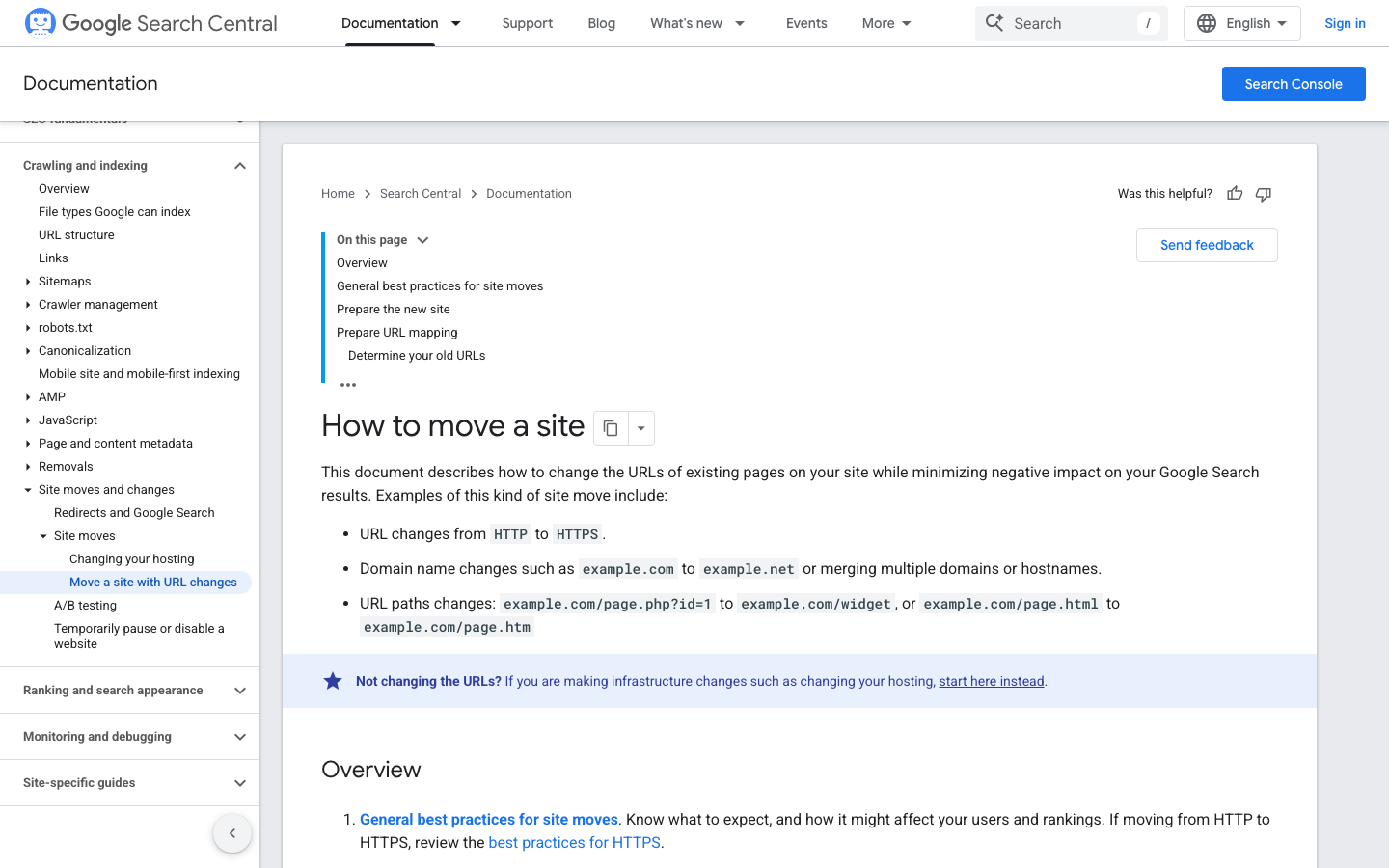
Google documents what counts as a URL-changing site move. Moving from HTTP to HTTPS is one. Changing domain, or merging multiple domains or hostnames, is another. So is changing URL paths — for example from a query-string address to a clean path, or between file extensions. Google's guidance sets out preparing the new site, preparing a URL mapping, and determining your old URLs as distinct steps.
So the single most valuable thing you can do before a redesign starts is inventory the existing URLs and decide, for each one, whether it survives, merges into another page, or is retired with a redirect to the closest equivalent. Put that mapping in the contract as a deliverable. A redesign that keeps its addresses is a very different risk from one that quietly invents new ones.
Sources: [3]
Measure the move after launch
A redesign is not finished at launch; it is finished when you can see that nothing broke.
Google documents the tooling for this. Search Console requires you to verify site ownership, provides an index coverage report showing what Google indexed or tried to index, accepts a sitemap submission, and emails you when new issues are found on your site. Google's own guidance notes there is no need to sign in daily — checking roughly monthly, or after you change the site, is the pattern it describes.
A redesign is exactly one of those changes. Verify ownership before launch so you have a baseline, submit the new sitemap after launch, and watch index coverage and the reported issues for the following weeks. If pages that used to be indexed are now missing, your URL mapping is the first place to look.
What a redesign cannot promise
A redesign can make a site faster, easier to operate on a phone, easier to maintain, and easier for Google to crawl and render. It cannot buy a position in search results.
Google warns explicitly that nobody can guarantee a number-one ranking, and advises examining a supplier's previous work and asking for references. Treat any redesign proposal whose value rests on a ranking promise as unpriced, because the deliverable is not in anybody's control.
A fair redesign scope reads like this instead: these measurements are the baseline, these are the target values, this is the URL mapping, these are the accessibility criteria in scope, this is who owns each account afterwards, and this is how we will report what changed. If you are budgeting the work, our breakdown of what a Malaysian website actually costs separates the published components from the scope-driven ones.
Sources: [6]
Redesign triggers, and how to test each one
| Symptom | Published benchmark | How to test it | What it usually means |
|---|---|---|---|
| Pages feel slow to appear | LCP within the first 2.5 seconds | Measure the homepage, a service page and the contact page on a real phone | Media weight, hosting or template problem — often fixable without a rebuild |
| Taps feel unresponsive | INP under 200 milliseconds | Measure interaction on the same three pages | Script overload; worth measuring before redesigning |
| Content jumps while loading | CLS under 0.1 | Watch the page load on a phone, not a laptop | Layout and image-sizing problem; a genuine template issue |
| Mobile version is thinner than desktop | Google indexes the mobile version of content | Compare text, headings, images and metadata side by side | Strong redesign trigger — the indexed version is the weaker one |
| Forms are hard to complete | WCAG 2.2 perceivable, operable, understandable, robust | Complete your own enquiry form using only a keyboard | Structural redesign trigger with a testable standard behind it |
| Rebuild will change addresses | Google's site-move-with-URL-changes guidance | Inventory old URLs and produce a mapping before build starts | The main risk to existing search visibility; make it a contract deliverable |
Evidence to gather before you commission a redesign
- LCP, INP and CLS measured on your three most important pages, on a real phone.
- A side-by-side comparison of mobile and desktop content, headings and metadata.
- A record of whether your enquiry form can be completed using only a keyboard.
- A note of contrast, labelling and focus-visibility failures against WCAG 2.2.
- A full inventory of your current URLs, exported before anything changes.
- A decision for each URL: keep, merge or retire with a redirect.
- Search Console ownership verified, so you have a pre-launch baseline.
- Written target values the finished site must meet before final payment.
- A named owner for the domain, hosting, code, analytics and admin accounts.
- An agreement that no ranking position is being promised.
FAQ
How do I know whether my site is genuinely too slow?
Measure it rather than judging it. Google publishes good-experience targets for three measures: Largest Contentful Paint within the first 2.5 seconds, Interaction to Next Paint under 200 milliseconds, and Cumulative Layout Shift under 0.1. Test your homepage, main service page and contact page on a real phone. Results comfortably inside those targets suggest the problem is content or structure rather than speed.
Does the mobile version of my site really matter that much?
Yes. Google states that it uses the mobile version of a site's content, crawled with the smartphone agent, for indexing and ranking. Its mobile-first guidance also covers making sure Google can access and render your content and keeping content and metadata consistent between versions. A mobile layout that hides content is therefore hiding it from the version Google evaluates.
Will a redesign hurt my Google rankings?
It can, if URLs change without a mapping. Google documents URL-changing site moves — HTTP to HTTPS, domain changes, and URL path changes — as a project with defined steps: prepare the new site, prepare a URL mapping, and determine your old URLs. Inventory the existing URLs before the build starts and make the mapping a contract deliverable. After launch, use Search Console's index coverage report to confirm nothing was dropped.
Can an agency guarantee better rankings after a redesign?
No. Google warns directly that nobody can guarantee a number-one ranking, and advises examining previous work and asking for references. A credible redesign proposal commits to measurable things instead: baseline and target performance values, a URL mapping, accessibility criteria in scope, account ownership, and a report of what changed.
Key takeaways
- Decide with measurements: LCP 2.5s, INP 200ms and CLS 0.1 are Google's published good-experience targets.
- Google indexes and ranks the mobile version of your content, so a thinner mobile layout is a real redesign trigger.
- WCAG 2.2's four principles turn 'hard to use' into criteria a supplier can be held to.
- The largest redesign risk is changing URLs without a mapping — Google treats that as a defined site-move project.
- Verify Search Console ownership before launch and watch index coverage afterwards.
- No redesign can guarantee a search position; hold the scope to things that can be measured.
Sources and image provenance
- Understanding Core Web Vitals and Google search results — Google Search Central. Checked 1 September 2026 (HTTP 200). Primary source.Evidence used: Google publishes the good-experience targets used here: LCP within 2.5 seconds, INP under 200 milliseconds and CLS under 0.1.
- Mobile site and mobile-first indexing best practices — Google Search Central. Checked 1 September 2026 (HTTP 200). Primary source.Evidence used: Google states that it uses the mobile version of a site's content, crawled with the smartphone agent, for indexing and ranking, and documents the mobile-friendly configurations available.
- How to move a site (site moves with URL changes) — Google Search Central. Checked 1 September 2026 (HTTP 200). Primary source.Evidence used: Google documents what counts as a URL-changing site move — HTTP to HTTPS, domain changes, and URL path changes — and sets out the steps of preparing the new site, preparing a URL mapping and determining the old URLs.
- Get started with Search Console — Google Search Central. Checked 1 September 2026 (HTTP 200). Primary source.Evidence used: Google documents verifying site ownership, using the index coverage report, submitting a sitemap, and receiving email alerts when new issues are found.
- WCAG 2 Overview — W3C Web Accessibility Initiative. Checked 1 September 2026 (HTTP 200). Primary source.Evidence used: W3C publishes WCAG 2.2 and its perceivable, operable, understandable and robust principles, which turn 'the site is hard to use' into testable criteria.
- Do You Need an SEO? Tips for Hiring an SEO — Google Search Central. Checked 1 September 2026 (HTTP 200). Primary source.Evidence used: Google advises reviewing prior work and references and warns that nobody can guarantee a number-one ranking.
Image provenance
- Screenshot of developers.google.com captured 1 September 2026 — captured 1 September 2026 via Playwright Chromium screenshot of the resolved source URL at a 1440x900 viewport. Screenshot of a publicly accessible official page, reproduced for citation and commentary; Kreativ Studio claims no ownership of the depicted page, brand or content. Depicted content: Google LLC and its respective rights holders. Review: Screenshot captured and visually inspected by the Kreativ Studio editorial team on 1 September 2026. SHA-256:
514ebd7cbd2c755ce7453796beeb04fec1d08310f9108fedd6e07b9eb3d92c42 - Screenshot of developers.google.com captured 1 September 2026 — captured 1 September 2026 via Playwright Chromium screenshot of the resolved source URL at a 1440x900 viewport. Screenshot of a publicly accessible official page, reproduced for citation and commentary; Kreativ Studio claims no ownership of the depicted page, brand or content. Depicted content: Google LLC and its respective rights holders. Review: Screenshot captured and visually inspected by the Kreativ Studio editorial team on 1 September 2026. SHA-256:
cbf4d320ceff76bf06b161542ff5910e5bc9a54264b5fe15cd3333315f6f742e - Screenshot of developers.google.com captured 1 September 2026 — captured 1 September 2026 via Playwright Chromium screenshot of the resolved source URL at a 1440x900 viewport. Screenshot of a publicly accessible official page, reproduced for citation and commentary; Kreativ Studio claims no ownership of the depicted page, brand or content. Depicted content: Google LLC and its respective rights holders. Review: Screenshot captured and visually inspected by the Kreativ Studio editorial team on 1 September 2026. SHA-256:
ba89e4d3608af72f3e7add2107d8955c2329389908c55ed6a8850392583cc1f1
This guide was rewritten on 1 September 2026 at its original address. Earlier versions contained unsourced cost, bounce-rate and conversion figures; those have been removed rather than restated.